
BURNING BRIDGES · GUIDE
How to Make a Drake Burning Bridges AI Video
Select one permitted portrait, sign in and use credits, generate with the fixed template, then review and download your video. Alternative methods are optional.
Updated October 22, 2026
Before you make your party-video version
A Drake Burning Bridges AI video is a party-scene version with your portrait guiding the lead. This site is independent and is not affiliated with or endorsed by Drake. Follow the site flow below; external methods are optional.
Bring one permitted portrait under 8MB and confirm you have permission to use it. The site uses a fixed party template for clothing, scene and movement; the method comparison is optional background reading.
Make your video on this site
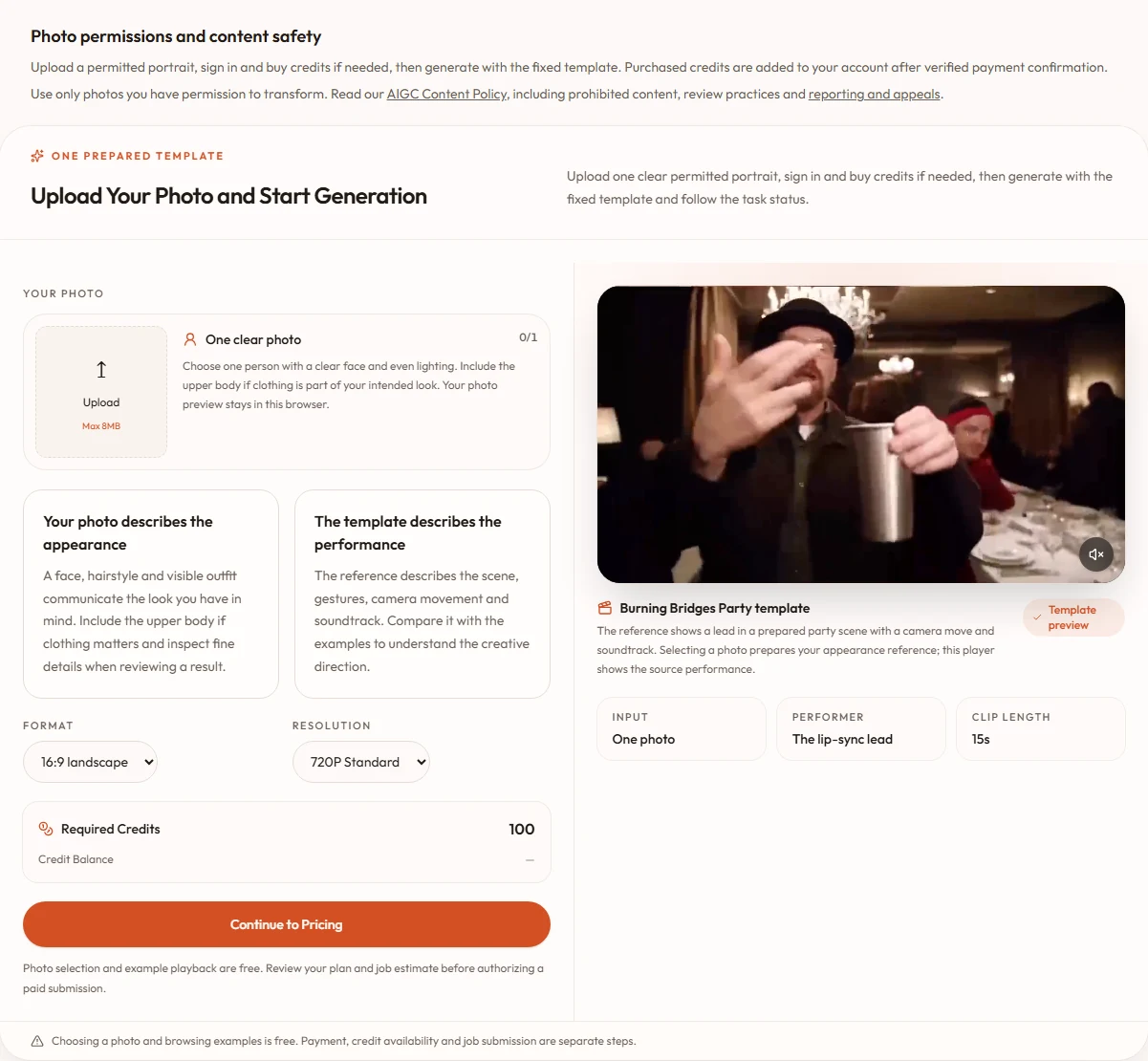
- Open the photo form, upload one permitted photo under 8MB and check the visible preview.
- Sign in and buy credits if your balance is insufficient. Existing credits can be used directly.
- Return to the photo form. The template uses fixed 720P, 16:9 output and 100 credits per generation. Click Generate Video and follow the task status while the fixed template is rendered.
- When the task is complete, review the picture and audio, then download your video.
Optional alternative workflows
The site flow above does not require an external tool or a written prompt. These alternatives are optional references for people exploring a different creative direction; use each service's official interface and check its current limits and price before submitting.
- For image to video, attach the portrait, use an original party prompt and choose supported settings.
- For motion transfer, bring a performance clip you own or have permission to transform, plus the appearance image. Check the tool's source-video requirements.
- For CapCut editing, choose a relevant current template and inspect what media it requires. An editing template can arrange footage without generating a new face performance.
- Generate or export, watch the full result, then add permitted audio in the publishing platform or editor.
External tools have their own accounts, supported inputs and costs. Confirm the selected mode before uploading your files.
Check the result, not just the first frame
- Watch the face during turns and occlusion.
- Check both hands and the cup for shape changes.
- Review background faces, clothing and unwanted text.
- Check composition in the actual output dimensions.
- Listen for missing, duplicated or misaligned audio.
Troubleshoot problems and prepare your post before sharing.
Follow the four steps
Upload one permitted photo, sign in and buy credits if needed, generate with the fixed template, then review picture and audio before downloading.
View Burning Bridges plans →