
SMALLTOWN BOY · HOW TO
How to Make a Smalltown Boy AI Video
Build a Smalltown Boy two-character video plan: assign the portraits, map the changing positions and reaction, and review face consistency and spacing.
By Burning Bridges AI Video · Updated
1. Choose the result and workflow
Start here: Use a workflow that can preserve two identities within the same scene. Build a clear starting pair and animate a small exchange first. If the effect depends on an exact sung phrase or high note, treat audio alignment as its own editing task rather than assuming the motion model understands the music.
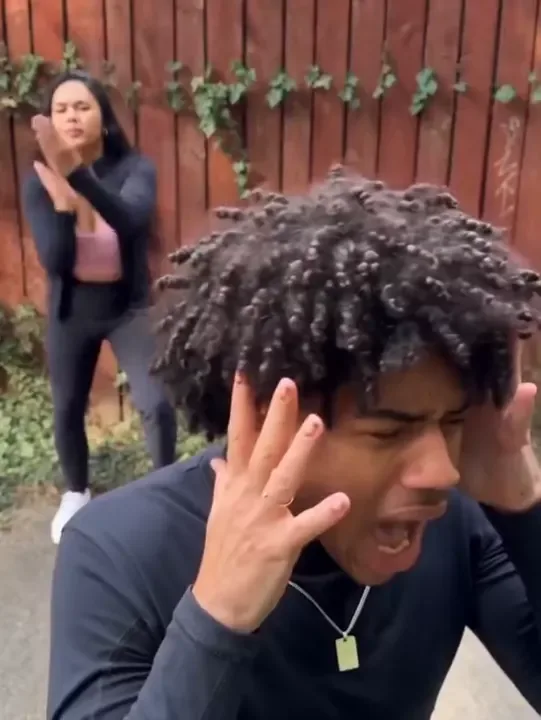
Explore what the Smalltown Boy AI trend is, Smalltown Boy page, then choose clear photos for your video.
2. Prepare the photo inputs
Use one clear image for each character, with eyes, hairline and shoulders visible. Aim for comparable sharpness. If one image is a drawing and the other a photograph, decide whether the mixed style is intentional before building the scene.
Open the local photo preparation area to inspect the selected files. Follow the format and size rules printed beside its inputs. Then check the requirements of your chosen creation tool separately; they may differ.
3. Plan a short sequence
Introduce the pairing
Give both characters visible space. Let the viewer identify each person before the positions or emphasis change.
Pass the attention
Plan a glance, turn or small change of position that moves attention from one partner to the other.
Land the reaction
Hold the final expression long enough to read it. Avoid ending immediately as the face begins to react.
Use these as separate composition checks. A service with multi-shot controls may accept them together; otherwise, test a short shot first and join usable clips in an editor. Do not assume a single upload supports every camera change.
4. Adapt an original starting prompt
For a compatible image-to-video tool, this is a starting idea rather than a tested preset or a guarantee of the reference choreography. Keep only the actions your selected model can handle.
Two distinct adult characters share a simple performance space. One turns slightly toward the partner, the second responds with an expressive smile, then both settle into a final pose. Preserve each face and outfit, keep their identities separate as attention shifts, medium-wide steady camera, no new characters or text.
Choose the appearance references through the tool’s supported input controls. A written instruction to preserve a face cannot replace a missing identity input. Adjust the framing to your intended output before spending credits on longer clips.
5. Review the first draft
- The two faces become similar
- Use more distinct input portraits and clearer spacing. Compare each person against their own input, not only against the other character.
- The reaction happens too early
- Trim the lead-in or hold the first shot longer in the edit. Changing timing is often easier than regenerating the entire pair.
- Position changes confuse the viewer
- Start with a smaller turn instead of a full crossing. Preserve a clear screen side for each character until the pairing is established.
6. Edit, check sound and export
Trim the start and ending so the sequence has a clear setup and a settled finish. Avoid using an elaborate transition to hide a face or hand error: compare a simpler shot first. If several clips are joined, check screen direction and identity on both sides of every cut.
Use audio you are entitled to use and inspect the actual export. Check whether the tool includes audio, allows downloads and adds a watermark before rendering. The Smalltown Boy free-method guide gives an editing alternative when you prefer to avoid paid AI tests.
Choose filming when expression and timing are the priority. Choose a two-identity AI workflow when the synthetic pairing itself is the point. Start with a short reaction test rather than a long, complicated position swap.
Reference and method notes
Reviewed October 22, 2026. Visual observations describe the references collected on our Smalltown Boy page, rather than every version posted elsewhere. This guide does not claim an original upload date, a popularity ranking or a tested external render. The prompt above is original planning guidance; no external generation was run for this article.
Frequently asked questions
Can I use one group photo for both Smalltown Boy roles?
The local planner has two separate portrait slots. A compatible external tool may have different requirements; do not assume it can identify both roles from one group photo.
Does the reference audio come with every result?
No such promise is made here. Check the selected tool’s audio and export terms, and use audio permitted for your intended post.