
ZOMBIE PET · FREE OPTIONS
Can You Make a Zombie Pet AI Video for Free?
Make a pet-memory photo sequence or film a reunion interpretation. Compare free Zombie Pet planning with generated motion and external trial conditions.
By Burning Bridges AI Video · Updated
Can you make a Zombie Pet video for free?
You can make an edited interpretation without purchasing an AI render. This creates a real pet-memory montage. It does not transform the pet into a synthetic zombie or generate a new cabin encounter from two photos.
Watching the Zombie Pet references and previewing your photos here are also free. Those activities do not produce a new moving clip. For the scene itself, start with the Zombie Pet explanation.
Compare the outputs, not just the price
| Route | Input | Output | Limit |
|---|---|---|---|
| Your own filmed or staged edit | Footage and props you already have | A real edited interpretation | No automatic face replacement |
| Photo sequence or storyboard | Permitted stills or drawings | A scene and timing plan | No continuous generated action |
| External AI trial, if offered | The tool’s supported inputs | Only what that offer includes | Check credits, export and watermark first |
“Free” in the editing routes means no paid render is needed. Equipment, props and your time still matter. The trial row is conditional; it is not a verified free offer from a named generator.
Make a pet-memory edit from calm everyday footage
Choose existing clips of your own pet approaching or greeting you. Use calm behavior the animal already does; there is no need to scare it or stage a weapon scene.
Record a simple close-up and a warm outdoor greeting if suitable footage is missing. Keep the same pet markings visible in both shots.
Place the darker opening and warmer memory on a free editing timeline. Cut during a matching approach or head turn so the movement connects the scenes.
Use gentle permitted audio and check the pet’s comfort and the final crop. The story can work through editing and color without an artificial injury or forced jump.
For editing, Shotcut and Kdenlive are free, open-source options according to their official sites. They edit your media; that does not imply a built-in Zombie Pet AI effect.
A simpler still-image alternative
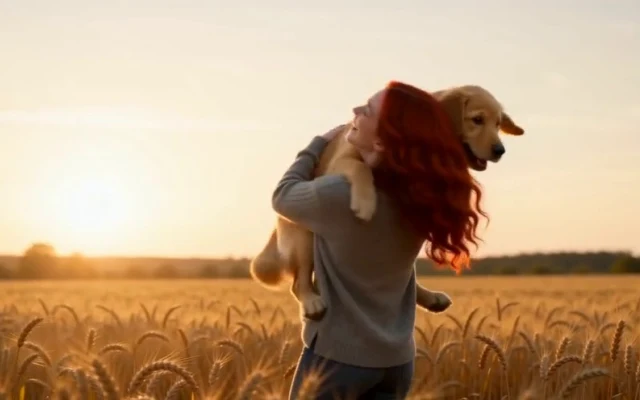
Pair a quiet indoor portrait with a healthy outdoor photo of the same pet and person. A simple dissolve or cut can suggest a memory. Keep the result clearly framed as an edited story rather than footage of an actual transformation.
Before you rely on an AI trial
Check the current offer on the provider’s own site before uploading. Free account creation does not establish a free video render, and a free preview does not establish a downloadable result.
- Does the allowance cover video, or only images?
- Does it accept the number and type of references this scene needs?
- Is export included, and at what length, resolution and watermark level?
- Is a payment card or recurring plan required?
- What happens to credits after a failed or unusable draft?
Prepare a separate portrait of the person and a clear photo of one dog or cat. Keep the animal’s ears, muzzle and distinctive coat markings visible. Avoid a tightly cropped nose or a photograph where a hand covers most of the pet’s face.
If the inputs do not match the offer, the trial is not a useful test of this particular scene. We have not tested an external free render or download for this guide.
What can you do on this site?
Explore Zombie Pet photo planner, Zombie Pet step-by-step guide, then choose clear photos for your video.
Explore actual generation page, then choose clear photos for your video.
Choose the route that fits your idea
Use existing pet footage for the simplest free route. For AI, prioritize species and marking consistency before adding dramatic action. A quiet greeting is easier to assess than a leap that hides the paws and face.
Reviewed October 22, 2026. Editor availability was checked on the official Shotcut and Kdenlive sites. Visual references and their credits are linked above; no external AI offer was purchased or tested.
Frequently asked questions
Can the human photo and pet photo use the same input slot?
The local page has separate person and pet inputs. Keeping them separate makes the intended roles clear; an external generator must also support the chosen species and cast.
Does a free trial guarantee a free download?
No. Rendering, previews and exports can have different conditions. Check the current offer before uploading or entering payment details.