
GAS STATION DANCE · WHAT IS
What Is the Gas Station Dance AI Trend?
Understand the Gas Station Dance AI sequence: roadside dancing, a close-up selfie and a car exit, with one performer or a cast of three.
By Burning Bridges AI Video · Updated
What is the Gas Station Dance AI video idea?
Short answer: The Gas Station Dance AI format is a short sequence built from three different shots: a dance, a selfie and a car exit. The local reference page lets you plan one person across all three shots or assign a different person to each scene.
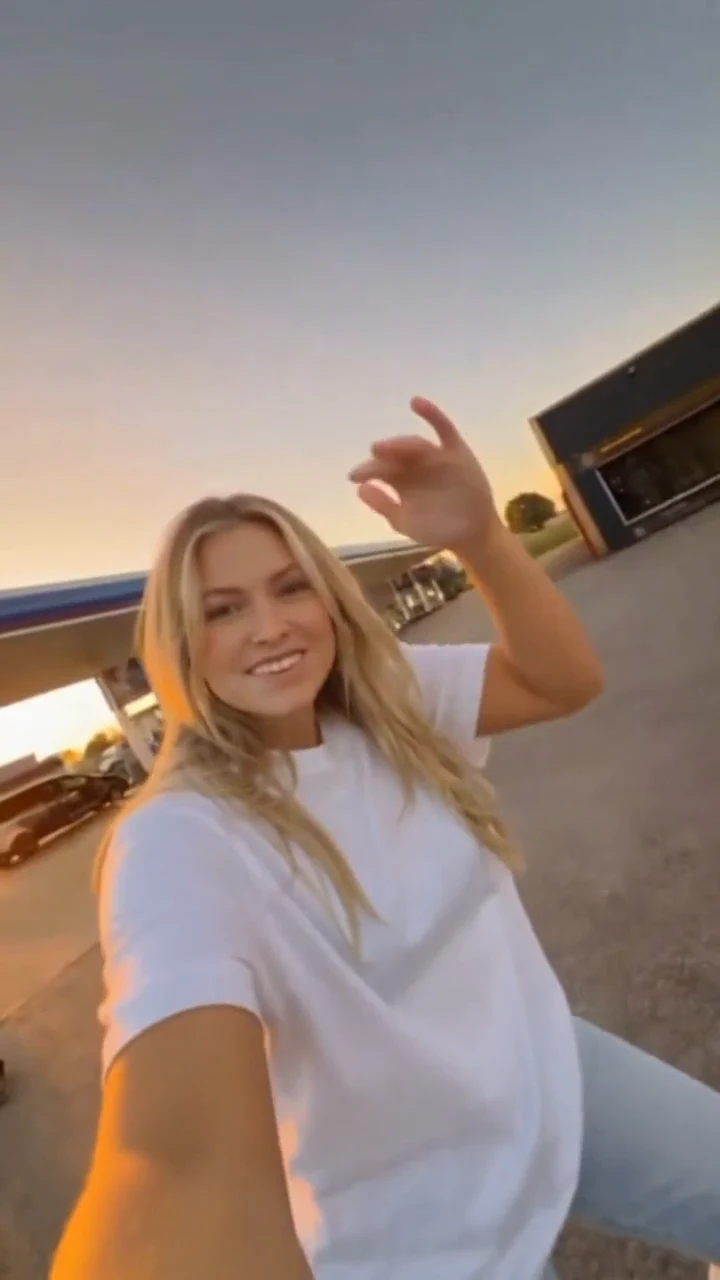
The appeal comes from changing the camera relationship. The dance needs room for the body, the selfie brings the face close, and the car-exit shot returns to a wider view. It is a sequence to plan, not simply a portrait with a petrol-station background.
Read the scene, one moment at a time
Dance
Keep the performer fully visible and allow room on both sides for the step. A fixed viewpoint makes the motion easier to inspect.
Selfie
Move to a closer face-led composition. Keep the same clothing and identity if this is the solo version.
Car exit
Show the door, the person and their feet together. The door should remain attached to the car as the person moves into view.
What should you distinguish before choosing a tool?
Selecting three people does not necessarily mean that three dancers appear together. In this page’s casting layout the slots map to scenes. A solo version instead asks the same person to remain recognizable as the framing and action change.
Compare a full moving example with the result you actually want. A thumbnail can show clothing and background, but it cannot establish timing, identity stability or what happens when people and objects overlap.
Which photos and roles matter?
For the dancer and car-exit roles, use clear full-body images with the shoes visible. The selfie role benefits from a face-forward portrait. For solo planning, choose one image with both facial detail and enough body information for the wider shots.
You can inspect the photos in the local Gas Station Dance planner. The preview displays the files you choose; it does not predict a model’s output.
How do you turn the idea into a video?
Treat the three scenes as separate shots before trying a multi-shot render. Confirm whether the external tool supports separate cast inputs or only a single portrait. Generate or film a short draft of each shot, then join them in an editor so a failed car exit does not force you to replace the entire sequence.
The Gas Station Dance creation guide walks through the inputs and the checks to make before accepting a draft. For a route without paid renders, compare Gas Station Dance free options.
What makes a result worth keeping?
Use the solo route for identity continuity and fewer inputs. Use scene-by-scene casting when the joke depends on different people taking over. If a model cannot preserve the door and feet, a filmed car shot is a practical alternative to repeated renders.
Review the exported file, not just the first frame or a loading preview. Watch once without sound to judge the visual sequence, then with your chosen audio to assess the timing. A reference soundtrack does not establish what another tool includes.
References and scope
Reviewed October 22, 2026. Visual observations describe the references collected on our Gas Station Dance page, rather than every version posted elsewhere. This guide does not claim an original upload date, a popularity ranking or a tested external render.
Frequently asked questions
Does the reference audio come with every result?
No such promise is made here. Check the selected tool’s audio and export terms, and use audio permitted for your intended post.