
I FEEL LIKE NICOLE · FREE OPTIONS
Can You Make an I Feel Like Nicole AI Video for Free?
Watch the cooler-cam references and prepare one portrait for free. Before generating the sequence, check the selected offer’s credit requirement and download terms.
By Burning Bridges AI Video · Updated
What can I prepare for I Feel Like Nicole for free?
You can watch the cooler-cam sequence references and choose, replace or remove a photo without paying. Review the selected creation option’s credit and export terms before generating a video.
Prepare your performer photo → · Follow the four steps →
Looking for a full-body solo or duo dance in a red room, living room or subway?
Go to Nicole Kidman Dance →
Can you make an I Feel Like Nicole video for free?
For a free I Feel Like Nicole AI video, check whether the offer includes the moving cooler-cam sequence and lets you save the finished clip. Review the allowance, watermark and export terms; a still photo effect is a different output.
Watching the I Feel Like Nicole references and previewing your photos here are also free. Those activities do not produce a new moving clip. For the scene itself, start with the I Feel Like Nicole explanation.
Preparation, generation and download: what to check
| Stage | What you can do | What to check |
|---|---|---|
| Watch the references | Free to watch on the scene page. | Door opening, aisle turn, pink can and exit. |
| Prepare photos | Choose, replace or remove photos for free. | Choose one performer with a clear face and visible outfit. Leave room for the hands, door opening and aisle turn. |
| Generate the scene | Review the selected creation option. | Cooler-cam scene, output, credit total and any trial conditions. |
| Download the result | Review the offer’s export terms. | Full clip, resolution, watermark and file access. |
| Add audio and share | Choose audio you may publish. | Check the soundtrack and posting platform’s current options. |
Use the current plan and checkout details for the amount due. If a trial is offered, check that it covers the selected video and the download you need. Review current credit plans →
Film a fixed-viewpoint aisle performance
Use a safe shelf or cabinet setup at home, or another place where filming is permitted. A fixed phone viewpoint can suggest the cooler angle without placing a device in a working appliance.
Record an opening gesture, a small turn and a reach for a can or similar prop. Keep the phone, shelf and performer stable between takes.
Trim the clips in a free editor so the opening leads into the performance and the reach leads into the exit.
Add permitted audio and check the hand-prop interaction at normal speed. Keep the final crop wide enough to show the movement.
For editing, Shotcut and Kdenlive are free, open-source options according to their official sites. They edit your media; that does not imply a built-in I Feel Like Nicole AI effect.
A simpler still-image alternative
Create a three-photo sequence from the same fixed camera: cabinet opening, aisle pose and can in hand. It is a useful timing sketch when a moving take is difficult, but it remains a photo edit.
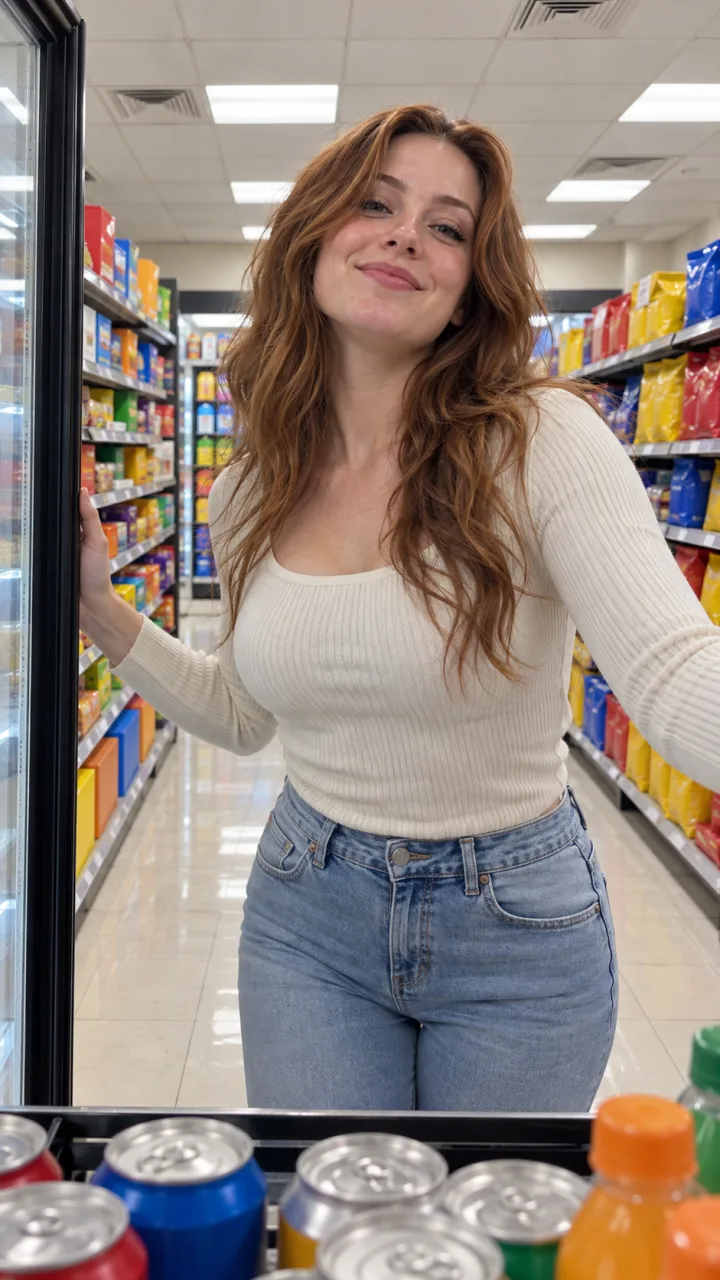
Before you rely on an AI trial
Check the current offer on the provider’s own site before uploading. Free account creation does not establish a free video render, and a free preview does not establish a downloadable result.
- Does the allowance cover video, or only images?
- Does it accept the number and type of references this scene needs?
- Is export included, and at what length, resolution and watermark level?
- Is a payment card or recurring plan required?
- What happens to credits after a failed or unusable draft?
Use one clear full-body portrait with the face, hands and shoes visible. Keep the source background simple and avoid a large prop covering the torso. The full outfit matters because the reference moves between a closer view and an aisle-wide view.
If the inputs do not match the offer, the trial is not a useful test of this particular scene. We have not tested an external free render or download for this guide.
Prepare your cooler-cam sequence here
Watch the I Feel Like Nicole references, then choose your photo. Selecting a photo previews it on this device; that selection does not upload it or spend credits.
Watch the face as the performer changes distance. Keep the hand, pink can and door distinct, and check that the exit follows the aisle. Use the four-step route to prepare, then review the current plans before continuing.
Choose the route that fits your idea
Film if the fixed camera and prop gag are the main attraction. For generation, prioritize the door and can interactions over adding a bigger dance. A simple coherent reach is more useful than a spectacular spin with a broken hand.
Reviewed October 22, 2026. Editor availability was checked on the official Shotcut and Kdenlive sites. Visual references and their credits are linked above; no external AI offer was purchased or tested.
Frequently asked questions
Why is a full-body photo useful for the Nicole scene?
The reference changes distance and includes an aisle movement. A full-body input provides more information about the outfit and proportions than a tightly cropped face.
Does a free trial guarantee a free download?
No. Rendering, previews and exports can have different conditions. Check the current offer before uploading or entering payment details.
Is this the Nicole Kidman solo or duo dance?
This page follows one performer through a cooler-door opening, aisle turn, pink-can action and exit. The Nicole Kidman Dance collection focuses on full-body solo or duo routines in other settings. See the Nicole Kidman Dance scene.