
STORM II · WHAT IS
What Is the STORM II AI Trend?
Explore STORM II AI references built around a central lead and an organized crowd. Check row spacing, repeated costumes and coordinated movement.
By Burning Bridges AI Video · Updated
What is the STORM II AI video idea?
Short answer: STORM II AI references contrast a central character with an organized crowd. The visual idea is the relationship between the lead and repeated rows, costumes or group movement, rather than a solo dancer performing every action.
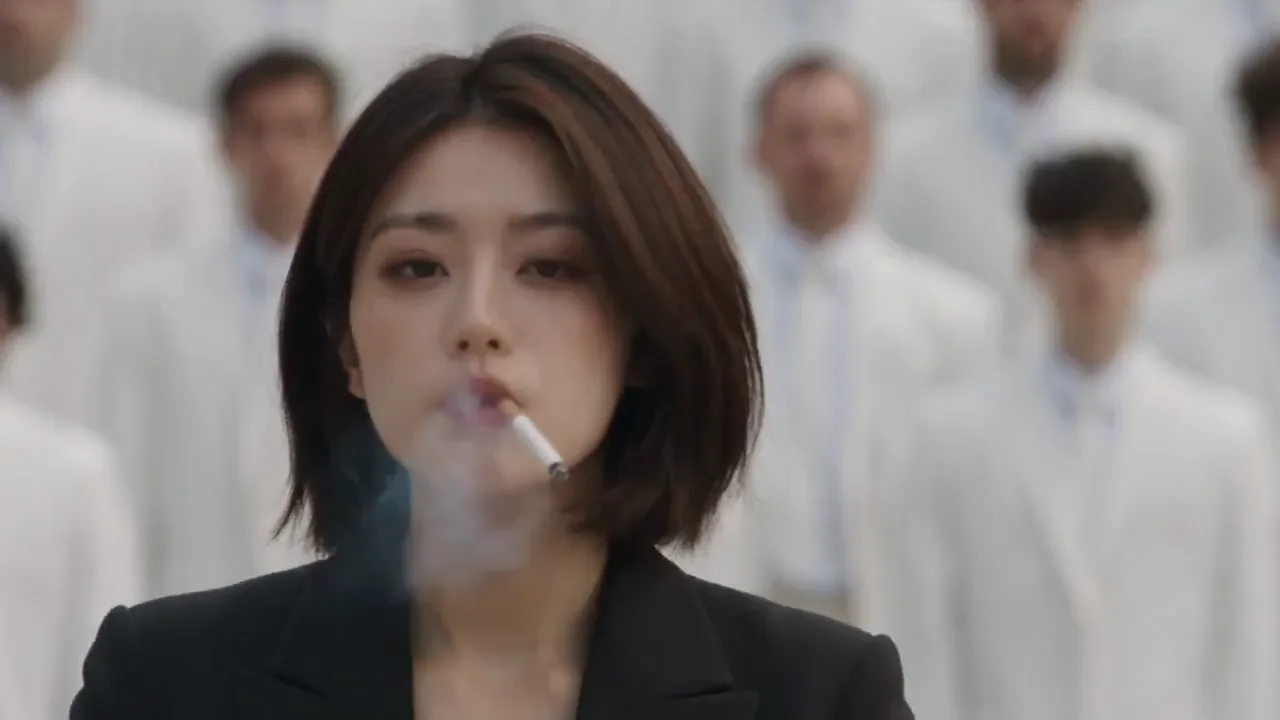
The formation supplies scale and rhythm. The lead can remain comparatively still while the background moves, making small gestures feel more pronounced. Clear spacing matters: when heads and shoulders merge, the crowd stops looking like an intentional arrangement.
Read the scene, one moment at a time
Place the lead
Choose the central position and the amount of space around the person. The lead should be easy to locate even in a thumbnail.
Build the rows
Keep the crowd behind the lead with visible gaps and consistent direction. Start with fewer rows if the scene becomes difficult to inspect.
Coordinate the motion
Choose one shared background action or a controlled walk from the lead. Avoid giving every row a different task in the first test.
What should you distinguish before choosing a tool?
The reference collection includes different formations, so there is no single costume or crowd layout implied by the name. Choose the arrangement you want before writing a prompt. Adding “large crowd” to a portrait prompt does not specify row spacing or synchronized motion.
Compare a full moving example with the result you actually want. A thumbnail can show clothing and background, but it cannot establish timing, identity stability or what happens when people and objects overlap.
Which photos and roles matter?
Use one unobstructed portrait with a clear face and visible shoulders. Decide whether the lead should stand still or walk before composing the full scene. A simple outfit helps separate the lead from repeated background uniforms or pale clothing.
You can inspect the photos in the local STORM II planner. The preview displays the files you choose; it does not predict a model’s output.
How do you turn the idea into a video?
Compose a still formation before animating it. Check every visible row for merged heads and misplaced bodies, then test one small coordinated motion. If the lead must walk through the crowd, make the path explicit and keep the first movement short.
The STORM II creation guide walks through the inputs and the checks to make before accepting a draft. For a route without paid renders, compare STORM II free options.
What makes a result worth keeping?
Film a small group when rhythm and layout matter more than crowd size. For a generated formation, begin with fewer people and validate spacing before adding rows. The strongest frame is often the clearest arrangement, not the largest crowd.
Review the exported file, not just the first frame or a loading preview. Watch once without sound to judge the visual sequence, then with your chosen audio to assess the timing. A reference soundtrack does not establish what another tool includes.
References and scope
Reviewed October 22, 2026. Visual observations describe the references collected on our STORM II page, rather than every version posted elsewhere. This guide does not claim an original upload date, a popularity ranking or a tested external render.
Frequently asked questions
Does the lead have to dance in a STORM II video?
No. The local references emphasize the contrast between a lead and a formation. A still lead, a controlled walk or a small gesture can be part of that concept.
Does the reference audio come with every result?
No such promise is made here. Check the selected tool’s audio and export terms, and use audio permitted for your intended post.