
HALLOWEEN COSTUME · FREE OPTIONS
Can You Make a Halloween Costume AI Video for Free?
Prepare your costume reveal before spending credits. Separate free photo preparation from generation and download terms, then check the offer for the result you want.
By Burning Bridges AI Video · Updated
Which Halloween Costume steps are free to prepare?
Watching the references, choosing or replacing a photo, and reading the preparation guide are free. Before generating a video, review the selected option’s credit requirement and the conditions for saving the finished clip.
Can you make a Halloween Costume video for free?
For a free AI costume reveal, check whether the offer covers the transformation you want and a downloadable result. Review the video allowance, costume option, watermark and export access before starting. You can prepare your photo and compare the references here for free.
Watching the Halloween Costume references and previewing your photos here are also free. Those activities do not produce a new moving clip. For the scene itself, start with the Halloween Costume explanation.
Preparation, generation and download: what to check
| Stage | What you can do | What to check |
|---|---|---|
| Watch the references | Free to watch on the topic page. | Face: recognize the same person before and after the change. |
| Prepare a photo | Choose, replace or remove one image for free. | Choose one clear photo with your starting outfit visible. Leave space above the head for a hat and beside the body for the reveal gesture. |
| Generate the scene | Review the selected option and its credit requirement. | Check the scene, accepted inputs, output settings and any trial conditions. |
| Download the video | Review the export terms attached to the offer. | Check full length, resolution, watermark and file access. |
| Add audio and share | Choose audio you have permission to publish. | Check the music and the posting platform’s audio options. |
Use the current plan and checkout details for the amount due. If a trial is offered, check that it covers both the selected video and the export you need. Review current credit plans →
Film a match-cut costume reveal
Place the camera securely and mark your standing position. Record the everyday outfit, ending with a small turn or a hand passing the lens.
Change into a costume you already have and return to the same position. Begin the second take with the matching gesture.
Cut between the two takes at the point where the movement best matches. Align the head and shoulders before adding any transition effect.
Keep a short hold on the finished costume, add permitted audio and export. If the cut looks wrong, adjust its timing before adding more blur.
For editing, Shotcut and Kdenlive are free, open-source options according to their official sites. They edit your media; that does not imply a built-in Halloween Costume AI effect.
A simpler still-image alternative
Make a before-and-after photo edit using the same pose and background. A clear side-by-side or clean cut can communicate the costume idea without pretending that a still image has become a seamless transformation video.
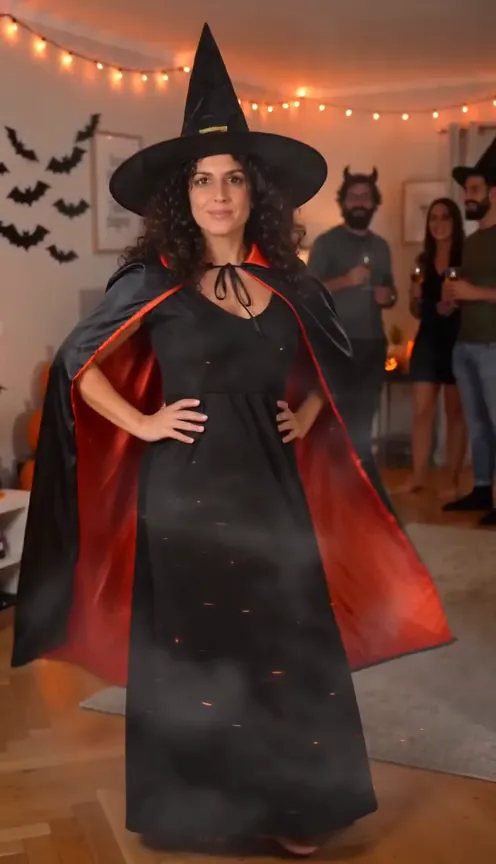
Before you rely on an AI trial
Check the current offer on the provider’s own site before uploading. Free account creation does not establish a free video render, and a free preview does not establish a downloadable result.
- Does the allowance cover video, or only images?
- Does it accept the number and type of references this scene needs?
- Is export included, and at what length, resolution and watermark level?
- Is a payment card or recurring plan required?
- What happens to credits after a failed or unusable draft?
Choose a front-facing photo with the full everyday outfit visible where possible. Keep hands away from the face and leave room above the head for a hat or other costume detail. Avoid starting with a heavy filter that obscures the original appearance.
If the inputs do not match the offer, the trial is not a useful test of this particular scene. We have not tested an external free render or download for this guide.
Prepare your costume reveal here
Watch the Halloween Costume references, then choose your photo. Selecting a photo previews it on this device; that selection does not upload it or spend credits.
Check the face before and after the reveal, the fingers during the gesture, and the hat and clothing edges in the final pose. Follow the four-step preparation route, then review the current credit plans when you are ready to continue.
Choose the route that fits your idea
Use a match cut if you have access to the costume. Use image generation for costume design only if you understand it may stop at a still image. For a full animated reveal, inspect identity consistency and the final outfit before evaluating sparkle effects.
Reviewed October 22, 2026. Editor availability was checked on the official Shotcut and Kdenlive sites. Visual references and their credits are linked above; no external AI offer was purchased or tested.
Frequently asked questions
Does a free trial guarantee a free download?
No. Rendering, previews and exports can have different conditions. Check the current offer before uploading or entering payment details.
What can I prepare on the Halloween Costume page for free?
You can watch the references and choose, replace or remove a photo without paying. Review the selected creation option and its current credit and export terms before generating a video.